Hyperprism VST3 Remakes

Clean-room reimplementations of the Arboretum Hyperprism 2.5 HyperVerb effect — one faithful, one modernized. Windows x64 VST3.

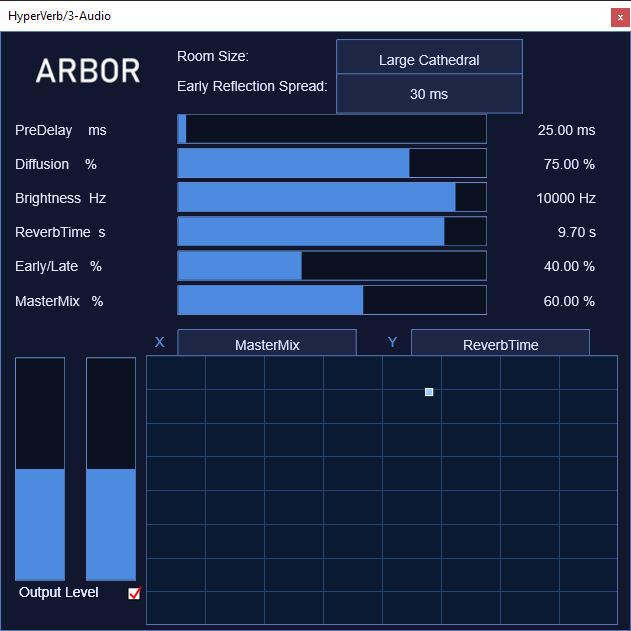
HyperVerb plug-in interface

HyperVerb v1.0.0

A faithful recreation of the original HyperVerb: a 16-line Feedback Delay Network reverb with input diffusion, early reflections and per-line damping, reproducing the classic HyperVerb character and interface.

  • 16-line FDN with normalized Hadamard feedback matrix
  • Early reflection system with spread control
  • 6-stage input diffusion allpass network
  • Pre-delay up to 1000 ms
  • 10 room types and per-channel output trims
  • 14 factory presets

Windows x64 VST3 · 1.1 MB · includes plug-in, presets & manual

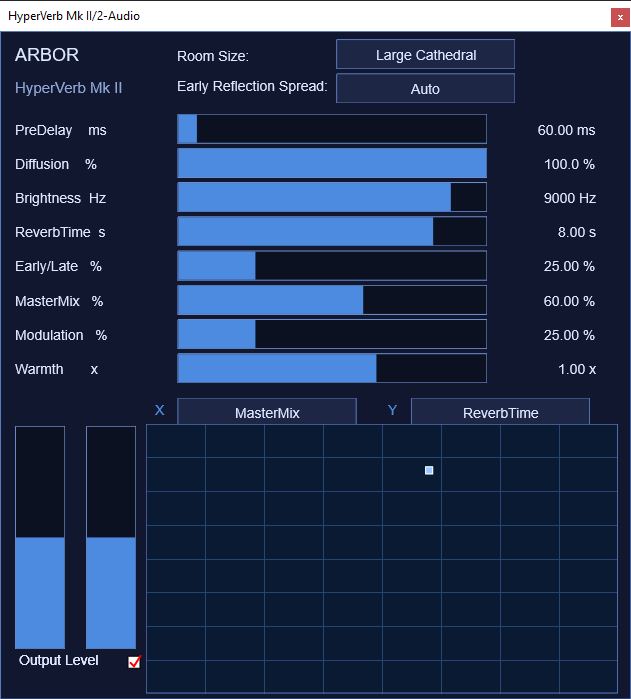
HyperVerb Mk II plug-in interface

HyperVerb Mk II v1.0.0

A modernization of the same 16-line FDN. Fractional, modulated delay lines and two-band damping remove the metallic ring of the 1990s original while keeping its recognizable structure and character.

  • Interpolated, gently modulated FDN taps
  • Two extra controls: Modulation and Warmth
  • Two-band decay split at 250 Hz
  • Reworked 23-tap early reflection field
  • XY performance pad and output trims with Lock
  • 14 factory presets

Windows x64 VST3 · 1.1 MB · includes plug-in, presets & manual

Installation

  1. Download the installer archive for the effect you want and unzip it.
  2. Run install_hyperverb.cmd (HyperVerb) or install_hyperverb_mkii.cmd (HyperVerb Mk II).
  3. Read and accept the disclaimer prompt.
  4. Choose to install the plug-in, the presets, or both.
  5. Restart your DAW and rescan VST3 plug-ins if it does not appear.

System requirements

Disclaimer

HyperVerb and HyperVerb Mk II are independent, clean-room reimplementations of the Arboretum Hyperprism 2.5 HyperVerb effect. They contain no original code, binaries, or other assets from the original product.

They are not affiliated with, endorsed by, or supported by Arboretum Systems, its successors, or any rights holder of the original software. “Hyperprism” and “HyperVerb” are referenced only to describe the recreated effect, and all trademarks remain the property of their respective owners.

This software is provided “as is”, without warranty of any kind, express or implied. In no event shall the author be liable for any claim, damages, or other liability arising from the use of this software.